
Author

Month-end arrives and every branch sends its sales data in a different format. One person rebuilds the totals in a spreadsheet, another checks them against POS exports, and the VAT return waits until the numbers finally agree. For a growing business, that routine is more than an inconvenience. It affects accuracy, deadlines and the time your finance team could spend on analysis.
When you decide to hire a VAT automation software provider, you are choosing more than a product. You are choosing the team that will configure the software, connect it to your existing systems, validate your data, train your staff and support you after launch. So how can a business choose a VAT automation provider that fits its compliance processes, technology environment and operational needs? This guide walks through the answer step by step.
Quick answer
When hiring a VAT automation software provider in Bangladesh, confirm that the software is enlisted by the National Board of Revenue (NBR), check that it covers the Mushak forms and reports your business needs, verify integration with your POS, ERP or accounting systems, review the provider’s data migration and testing approach, and get training, support and pricing terms in writing.
Why Businesses Need a VAT Automation Software Provider
Manual VAT processes and disconnected systems tend to fail in predictable ways. Each problem below has a direct business impact.
- Manual data collection across branches. Collecting sales and purchase records branch by branch increases administrative workload and delays consolidated reporting.
- Inconsistent sales and VAT records. When branches record transactions differently, finance teams spend time correcting formats instead of reviewing results.
- Spreadsheet-based workflows. Formulas can be overwritten, files can be duplicated and version control is difficult. A small mistake can travel into a return unnoticed.
- Difficult POS reconciliation. Matching POS transactions with VAT records by hand is slow, and unresolved differences make it harder to trust the figures.
- Time-consuming return preparation. Preparing returns from scattered data pushes the work toward the deadline and leaves little room for review.
- Limited visibility. Without branch-level and consolidated reports, managers cannot easily see VAT liability or spot unusual patterns.
- Disorganized documentation. Invoices, notes and supporting records stored in different places make it harder to respond when records are requested.
- Unreliable support after go-live. Software that works at launch but lacks responsive support can leave your team stuck during filing periods.
A suitable VAT automation platform, backed by a capable implementation provider, can help address these issues by standardizing data capture, reducing repetitive calculations and keeping records in one place. It does not remove every error, and it does not replace the need for careful review.
What Does a VAT Automation Software Provider Actually Do?
A good provider delivers both software and services. When you compare providers, check which of the following are included in the proposed scope.
- VAT workflow assessment. Reviewing how VAT data is created, approved, recorded and reported today.
- Software configuration and implementation. Setting up tax rates, invoice templates, user roles and reporting formats to match your processes.
- POS and accounting-system integration, where supported. Connecting transaction sources so VAT data does not need to be re-entered.
- Branch-level and consolidated reporting. Making it possible to view results by location and for the business as a whole.
- VAT return preparation support. Generating the reports and forms your team needs to prepare returns.
- Data migration and validation. Moving relevant historical data and checking it for completeness and consistency.
- Staff onboarding and training. Preparing finance, VAT and branch users to work in the new process.
- Ongoing technical support and maintenance. Handling issues, updates and changes after go-live.
It helps to be clear about boundaries. VAT software supports calculation, record keeping and reporting. It is not a substitute for professional tax advisory or legal services, and the taxpayer remains responsible for the accuracy of its data, its filings and its compliance with the VAT and Supplementary Duty Act, 2012 and related rules. Ask each provider who will deliver every service in the list, and who will not.
Essential Features to Look for When Hiring a VAT Automation Provider
Treat the following as evaluation criteria rather than a fixed feature list. Availability depends on the product, package and implementation scope, so confirm each item in a demonstration.
- VAT reporting and reconciliation. Automated calculation and matching of input and output tax reduce manual comparison and make differences easier to trace.
- Multi-branch management. Central control of branch data supports consistent processes across outlets, depots and business units.
- POS integration. Direct data exchange with POS systems reduces re-entry and helps align sales records with VAT records.
- Centralized dashboards. One view of sales, purchases, VAT payable and transaction history helps managers act earlier.
- VAT documentation and reporting records. Organized records make internal review and external requests easier to handle.
- Historical report comparison. Comparing periods helps teams detect unusual movements. Ask whether and how the product supports this.
- User access controls and audit trails. Role-based permissions and activity logs show who changed what and when.
- Integration with existing accounting workflows. Data should move between systems without extra manual steps.
- Data security, backups and support arrangements. Confirm how data is protected, how often it is backed up and what support is available.
How to Choose the Right VAT Automation Software Provider in Bangladesh
Use the ten criteria below to build a scorecard and rate each shortlisted provider on the same basis.
- Understanding of Bangladesh VAT workflows. Ask how the provider keeps pace with NBR requirements and the Mushak forms your business uses. Check that the software is enlisted on the NBR website and review the NBR enlisted software list.
- Verified product capabilities and business experience. Ask for a live demonstration and for examples from businesses similar to yours in size and sector.
- Compatibility with existing systems. List your POS, ERP and accounting tools and ask the provider to confirm, in writing, how each will connect.
- Implementation methodology and realistic timelines. A credible provider explains its method and ties timelines to your scope, not to a generic promise.
- Data migration and testing. Ask how historical data will be moved, validated and reconciled before go-live.
- Training and change management. Confirm who is trained, in what format, and what documentation is provided.
- Post-launch support and service levels. Look for defined channels and response expectations, especially around filing periods.
- Pricing transparency and total cost of ownership. Ask for a breakdown of one-time and recurring charges.
- Security, access controls and data protection. Ask about permissions, audit logs, backups and data ownership.
- Product demonstrations and verifiable references. Ask to see your own scenarios in the demo and to speak with current customers.
Why NBR enlistment deserves attention
NBR has previously required larger businesses to maintain VAT records using prescribed software from enlisted providers. A 2019 Financial Express report described an order for businesses with annual turnover of Tk 50 million and above, and noted expectations such as automated generation of VAT returns, access for VAT officials for audit, protection against hacking and tampering, and regular backups. Requirements can change, so confirm the current rules that apply to your business with NBR or a qualified VAT consultant before you shortlist providers.
Provider evaluation checklist
- Software is enlisted by NBR and the listing has been checked.
- Required Mushak forms and reports are covered.
- Integration with your POS, ERP and accounting systems is confirmed in writing.
- Data migration, validation and testing steps are documented.
- Training, documentation and support terms are defined.
- Pricing covers one-time and recurring costs.
- Security, backup and data ownership terms are clear.
- A demonstration using your own scenarios has been completed.
- References from similar businesses have been contacted.
VAT Automation Software Implementation: What to Expect
Implementation quality often decides whether a VAT project succeeds. A practical process usually looks like this.
- Assess current VAT processes and pain points. Document how data flows today and where delays and errors occur.
- Map reporting, branch and integration requirements. Define the reports, branches, users and systems that must be included.
- Confirm product scope and implementation responsibilities. Agree in writing what the provider will do and what your team will do.
- Configure the software and integrations. Set up tax rules, templates, roles and connections to POS, ERP or accounting systems.
- Migrate and validate relevant data. Move the agreed historical data and check it for completeness and accuracy.
- Test workflows and reconcile sample records. Run real scenarios and compare software outputs with source records.
- Train users and prepare for go-live. Train each user group and agree a cutover plan.
- Monitor performance and provide ongoing support. Review early results, resolve issues and keep the system updated.
Timelines vary according to business size, data quality, the number of integrations and customization needs. Be cautious about any provider that quotes a fixed duration before understanding your environment.
Questions to Ask Before Hiring a VAT Automation Provider
Bring these questions to every demonstration. Strong providers answer them clearly and specifically.
- Which VAT workflows and reports are supported? Ask for the list of Mushak forms and reports, and for a walkthrough of how each is produced.
- How does the software integrate with our existing systems? A good answer names the connection method, the data exchanged and who builds it.
- How will data be migrated and reconciled? Look for a validation plan with sample checks and sign-off steps.
- What are the implementation fees and recurring charges? Expect a clear split between one-time and ongoing costs.
- What training and documentation are included? Ask about formats, user groups and refresher sessions.
- What are the support response times? Ask for support channels, hours and how urgent issues are handled during filing periods.
- Who owns our data, and how is it backed up and secured? Confirm ownership, backup frequency, access controls and exit options.
- How are product updates delivered, and how does the system scale? Ask how rule changes and new branches are handled.
- Can we see a demonstration and speak with references? Request a demo using your own scenarios and contact details for current customers.
Why Consider SmartVAT for VAT Automation?
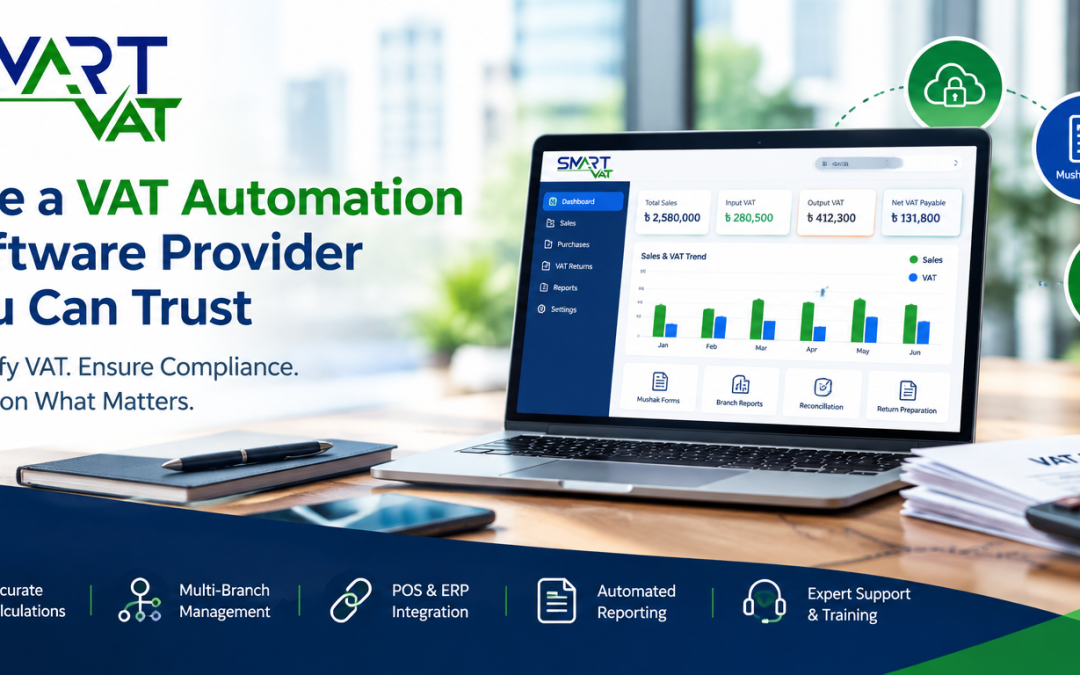
SmartVAT is a VAT management software for businesses in Bangladesh. According to the official SmartVAT website, it is enlisted by the National Board of Revenue. The SmartVAT VAT automation solution is described as a platform that automates VAT calculation, Mushak reporting and return preparation for manufacturers, traders, retailers and service businesses.
For buyers comparing providers, the points below are most relevant. Each is drawn from the published SmartVAT pages.
- Mushak forms and reports. The About SmartVAT page lists supported forms including Mushak 4.3, 6.1, 6.2, 6.3, 6.5, 6.6, 6.7, 6.8, 9.1 and 9.2.
- Input and output tax management. The product page describes automatic matching and reconciliation of input and output tax, with real-time VAT payable summaries.
- Multi-branch support. The product page states that VAT can be managed across multiple branches and locations from one central platform, with combined or location-specific reports.
- Integration. SmartVAT is described as connecting with ERP, accounting and POS systems through open API, so existing software does not have to be replaced.
- Audit trail and records. Transactions, calculations and filings are described as recorded with an audit trail, and returns and supporting documents are kept digitally.
- Data migration. The product page states that historical VAT records, transaction data and filing history can be migrated from a current system.
- Deployment options. The official website describes on-premises, cloud and hybrid deployment models.
- Implementation approach. The published model covers assessment and planning, configuration and testing, and API integration with ERP systems.
As with any provider, available capabilities can differ by package and implementation scope. Use a demonstration to confirm exactly what applies to your business, including your POS, your branch structure and your reporting needs. You can review the SmartVAT features, deployment options and Mushak forms before you speak with the team.
How Much Does VAT Automation Software Implementation Cost?
Prices differ widely because every business has a different scope. These are the main factors that influence cost.
- Number of branches and users. More locations and user roles mean more setup and training.
- Transaction volume. Higher volumes can affect configuration, hosting and support needs.
- Integration complexity. Connecting several systems takes more design and testing than a single connection.
- Data migration requirements. The amount and quality of historical data affect cleanup and validation effort.
- Customization. Special reports, workflows or approvals add development time.
- Training and onboarding. Larger teams and multiple sites need more sessions.
- Ongoing support and maintenance. Compare support terms and recurring fees, not only the initial price.
SmartVAT pricing depends on your requirements. The most reliable way to understand it is to contact the SmartVAT team and request a tailored quotation.
Common Mistakes to Avoid When Hiring a VAT Automation Provider
- Choosing on price alone. The cheapest quotation can hide extra charges for integration, migration or support.
- Ignoring integrations. If the software cannot exchange data with your POS or ERP, manual work returns.
- Skipping data validation. Unchecked historical data can carry old errors into the new system.
- Overlooking employee training. Even good software performs poorly when users are not confident with it.
- Failing to confirm support terms. Agree response expectations and responsibilities before signing.
- Assuming software alone guarantees compliance. Compliance depends on correct data, configuration, review and timely action by the business.
Get Started with SmartVAT
If your team is still assembling VAT data from spreadsheets, branch reports and separate systems, a structured conversation with a provider is a practical next step. Bring your list of branches, POS and accounting tools, and the reports you need each month.
You can request a SmartVAT demonstration to see how the software handles your scenarios, or contact the SmartVAT team to discuss your requirements and ask for a tailored quotation. To learn more first, visit the official SmartVAT website.
Frequently Asked Questions
What does a VAT automation software provider do?
A VAT automation software provider supplies the VAT software and the services needed to put it into use. These typically include process assessment, configuration, integration with POS or ERP systems, data migration, testing, staff training and ongoing support. The software helps calculate VAT, maintain records and prepare reports, while the business remains responsible for the accuracy of its data and filings.
How do I choose a VAT automation provider in Bangladesh?
Start with NBR-enlisted software, then compare providers on Mushak form coverage, integration with your existing systems, data migration and testing methods, training, support terms and pricing transparency. Ask for a demonstration based on your own workflow, request verifiable references, and put scope, responsibilities and support commitments in writing before signing.
What features should VAT automation software include?
Look for VAT calculation, input and output tax reconciliation, generation of the Mushak forms your business needs, multi-branch management, centralized reporting, integration through API or other methods, user access controls, audit trails, data export and backup arrangements. Availability varies by product and package, so confirm each feature against your requirements during a demonstration.
Can VAT automation software integrate with an existing POS system?
Often yes, but it depends on the software and the POS. The SmartVAT product page states that it connects with ERP, accounting and POS systems through open API. Ask the provider to confirm your specific POS, what data is exchanged, how often it syncs, and who is responsible for building and testing the integration.
How long does VAT software implementation take?
There is no fixed timeline. Duration depends on the number of branches and users, the quality of existing data, the number and complexity of integrations, migration needs and any customization. Ask the provider for a written implementation plan with milestones based on your actual scope, and clarify which tasks your own team must complete.
How much does VAT automation software cost?
Cost varies with the number of branches and users, transaction volume, integration complexity, data migration, customization, training and ongoing support. Compare the total cost of ownership rather than the first quotation alone. To learn what SmartVAT would cost for your business, request a tailored quotation based on your requirements.
Does VAT automation software guarantee VAT compliance?
No. Software can reduce manual work, apply configured VAT rules, organize records and prepare reports, but compliance remains the taxpayer’s responsibility. Accuracy depends on correct master data, proper configuration, timely updates when rules change, and review by qualified staff or a VAT consultant. Treat any vendor promise of guaranteed compliance with caution.
What support should a VAT automation provider offer?
Expect clear support channels, defined response times, help with technical issues, updates when VAT requirements change, user training materials and assistance during filing periods. Ask for these terms in a written service agreement, including backup responsibilities, data ownership, and how changes in scope or new branches will be handled.