
Author

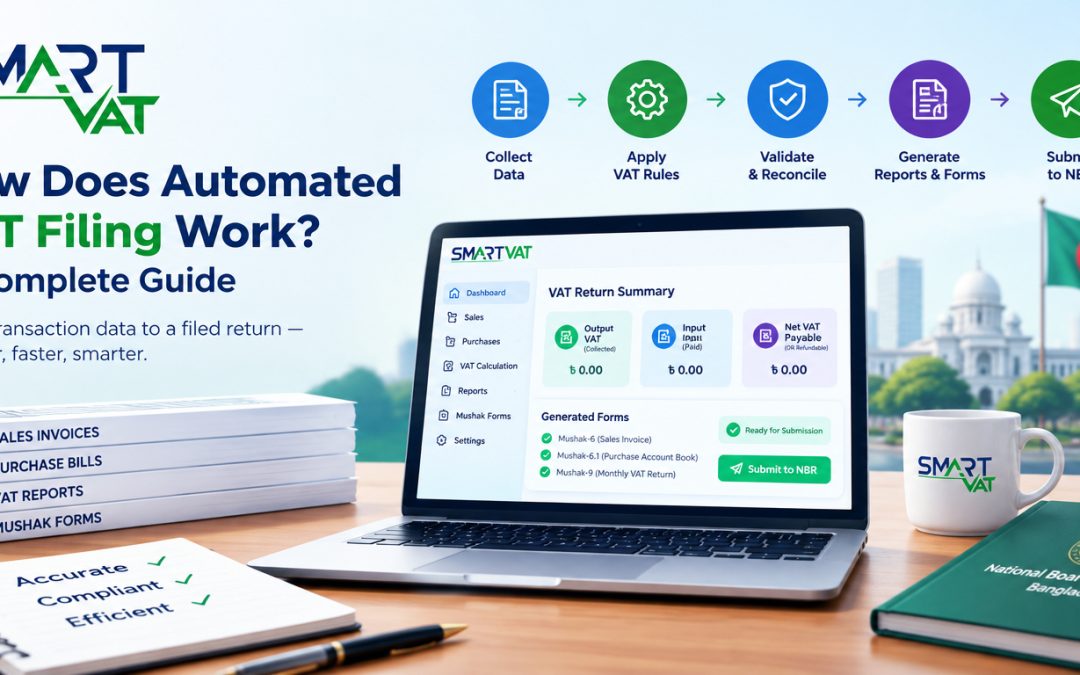
How Does Automated VAT Filing Work? A Complete Guide
Preparing a VAT return by hand means pulling numbers from spreadsheets, matching sales and purchase invoices line by line, and hoping nothing was missed before the deadline. It is repetitive, time-consuming, and one mistyped figure can throw off an entire return. Automated VAT filing changes this by connecting transaction data, VAT calculations, validation checks, reporting, and return preparation into a single, continuous workflow.
|
Quick answer: Automated VAT filing works by connecting a business’s sales and purchase data to a VAT management system that classifies transactions, calculates output and input VAT, validates the figures, generates VAT reports and Mushak forms, and prepares the return for a finance team to review and submit to the National Board of Revenue (NBR). This replaces manual spreadsheet work with a structured, repeatable process. |
This guide walks through exactly how the process works, what it looks like for businesses operating under Bangladesh VAT rules, how it compares with manual filing, and what to check before choosing VAT automation software.
What Is Automated VAT Filing?
Automated VAT filing is the use of VAT management software to collect transaction data, calculate VAT liabilities, validate figures, and prepare the reports and forms needed to submit a VAT return, rather than compiling that information manually in spreadsheets.
In practice, this means the software connects to a business’s sales and purchase records, so is closely linked to a broader shift toward digital VAT compliance, where reporting, record-keeping, and communication with tax authorities increasingly happen through structured digital systems rather than paper files.
How Does Automated VAT Filing Work?
At a high level, VAT filing automation follows a consistent sequence: data comes in, the system applies VAT rules to it, the results are checked, and a return is prepared for human review. Here is what that looks like broken into steps.
Step 1: Collecting sales and purchase data
The process begins with gathering transaction records: sales invoices, purchase bills, receipts, and any adjustments such as returns or discounts for the tax period.
Step 2: Importing or integrating transaction records
Instead of retyping figures, VAT software typically imports data directly from accounting software, point-of-sale systems, or an ERP platform, or accepts structured file uploads such as spreadsheets.
Step 3: Classifying taxable transactions
Each transaction is categorized: standard-rated, reduced-rated, exempt, or zero-rated, and separated into sales (output) and purchases (input), since different categories are treated differently under VAT rules.
Step 4: Calculating VAT automatically
The system applies the applicable VAT treatment to each classified transaction and calculates the VAT amount, removing the need to work formulas out manually across hundreds of line items.
Step 5: Matching input VAT and output VAT
Output VAT collected on sales is set against input VAT paid on eligible purchases, which determines the net VAT payable to, or refundable from, the tax authority for the period.
Step 6: Validating transaction data
Automated checks flag missing invoice numbers, mismatched totals, duplicate entries, or figures that fall outside expected patterns, so issues can be corrected before the return is finalized.
Step 7: Generating VAT reports and required forms
Once the data is validated, the system produces the supporting reports and country-specific VAT forms needed for filing, built directly from the underlying transaction data.
Step 8: Reviewing the VAT return
A finance professional reviews the prepared return, checks the figures against source documents, and confirms that classifications and calculations look correct before anything is submitted.
Step 9: Submitting the return through the appropriate process
Once reviewed, the return is submitted through the relevant tax authority’s filing channel, whether that is a government e-filing portal or another prescribed submission method.
Step 10: Maintaining digital records and audit trails
The system keeps a record of transactions, calculations, and submitted returns, creating an audit trail that can be referred back to if the tax authority raises a query later.
Not every one of these steps looks the same across every VAT software product. The exact screens, automation depth, and level of ERP integration vary by provider, so it is worth confirming which parts of this workflow a given tool actually automates before assuming full end-to-end coverage.
How Automated VAT Filing Works in Bangladesh
In Bangladesh, VAT is governed by the Value Added Tax and Supplementary Duty Act, 2012, administered by the National Board of Revenue (NBR). Businesses that are VAT-registered and hold a Business Identification Number (BIN) generally need to prepare and submit a monthly VAT return, along with the supporting records the NBR requires.
For automated VAT filing to work correctly in this context, the software needs to reflect Bangladesh-specific requirements rather than a generic VAT model. That includes:
- Recording VAT-related transactions in the formats used under Bangladesh VAT rules, including sales and purchase registers
- Generating the relevant Mushak documents, such as the sales invoice, purchase account book, and the monthly VAT return form, based on validated transaction data
- Keeping digital records organized in a way that supports NBR review and audit requirements
- Reflecting the current VAT and Supplementary Duty Rules, since forms, procedures, and digital filing requirements are periodically updated by the NBR
Because Bangladesh VAT procedures, form versions, and online submission requirements can change, businesses and finance teams should treat this article as a general explainer and always confirm current requirements directly on the NBR’s official website or the VAT Online Portal before filing. Accuracy of the underlying sales and purchase data remains the responsibility of the business, regardless of how much of the calculation and reporting is automated.
Manual VAT Filing vs Automated VAT Filing
Manual and automated VAT filing accomplish the same end goal, submitting an accurate return, but they differ significantly in how the underlying work gets done.
| Area | Manual VAT Filing | Automated VAT Filing |
|---|---|---|
| Data entry | Figures are typed or copied into spreadsheets by hand | Transaction data is imported or synced from accounting, POS, or ERP systems |
| VAT calculation | Calculated using manual formulas, prone to formula or copy errors | Calculated automatically based on configured VAT rules and rates |
| Error checking | Reviewed manually, often after the fact | Built-in validation flags mismatches and missing data before filing |
| Report preparation | Reports and forms compiled manually from multiple sources | Reports and required VAT forms generated directly from validated data |
| Record keeping | Spread across files, folders, and physical documents | Centralized digital records tied to each transaction and return |
| Reconciliation | Input and output VAT matched manually, line by line | Input and output VAT matched automatically within the system |
| Time required | Can take days depending on transaction volume | Significantly reduced, particularly for high transaction volumes |
| Audit readiness | Requires manually assembling supporting documents | Audit trail and supporting records are already organized in the system |
| Human review | Central to every step of the process | Still required before submission, but focused on review rather than data entry |
What Happens Behind the Scenes in VAT Filing Automation?
Once transaction data enters a VAT automation system, several components work together to turn it into a completed return.
Data integration
The software connects to accounting software, point-of-sale systems, ERP platforms, or accepts structured file uploads, so transaction data does not need to be re-entered manually.
Business rules and VAT rate configuration
VAT rates and rules relevant to the business, such as which goods or services are standard-rated, reduced-rated, exempt, or zero-rated, are configured so the system applies the correct treatment automatically.
Transaction validation
Automated checks compare invoice details, totals, and tax identification numbers against expected patterns to catch inconsistencies before they reach the return.
Input-output VAT calculation
The system nets output VAT against eligible input VAT to arrive at the amount payable or refundable for the period.
Reporting engine
A reporting layer converts validated transaction data into the specific reports and forms a tax authority requires, formatted the way that authority expects.
Audit trail
Every transaction, calculation, and change is logged, creating a record that supports internal review and can be produced if the tax authority asks questions later.
User review and approval
Before anything is submitted, a designated user in the business reviews the prepared return, since automation prepares the data but does not remove the need for a knowledgeable person to check it.
Example: Automated VAT Filing for a Business
To see how this fits together, consider a general example of how a Bangladesh business might use automated VAT filing over the course of a month. This example is illustrative only and does not represent specific figures, rates, or outcomes for any real business.
- Throughout the month, the business’s sales transactions are recorded as they happen, either through a point-of-sale system, invoicing tool, or accounting software connected to the VAT software.
- Purchase transactions, such as raw materials or supplies bought from vendors, are recorded in the same way, capturing invoice details and VAT paid.
- At the end of the tax period, the VAT software pulls together the sales and purchase data that has been collected, rather than requiring the finance team to compile it from scratch.
- The system calculates the relevant output VAT from sales and input VAT from eligible purchases, and works out the net VAT position for the period.
- Reports and the required VAT forms are generated from this data, laid out in the format expected for filing.
- The finance team reviews the generated reports against source documents, confirms the figures look correct, and either approves the return or corrects any discrepancies before it moves forward.
The value in this workflow is less about any single step and more about the fact that the same data flows through calculation, validation, and reporting without being manually re-entered at each stage.
Benefits of Automated VAT Filing
When implemented well, automated VAT filing offers a number of practical advantages over manual, spreadsheet-based processes.
- Less repetitive data entry, since transaction data is imported rather than retyped
- Faster report preparation, because reports are generated directly from validated data
- Better data consistency, since the same rules are applied uniformly to every transaction
- Easier reconciliation between input VAT and output VAT
- Improved visibility into the business’s VAT position throughout the period, not just at filing time
- Centralized records instead of files scattered across spreadsheets and folders
- Easier audit preparation, since supporting records and calculations are already organized
- Better workflow control, with clear steps for data entry, validation, review, and approval
Can Automated VAT Filing Replace Manual VAT Work Completely?
Automated VAT filing reduces a significant amount of repetitive manual work, but it does not remove the need for informed human involvement. Even with well-configured software, businesses still need:
- Accurate source data, since automation cannot correct sales or purchase figures that were recorded incorrectly at the point of entry
- Proper configuration of VAT rates and rules relevant to their business and products
- Human review of the prepared return before it is submitted
- Ongoing awareness of current VAT regulations, since rules, rates, and forms can change over time
- Internal controls around who can enter data, approve returns, and submit filings
- Professional tax or accounting advice for unusual transactions, disputes, or complex compliance questions
In short, automation is best understood as a way to handle the repetitive, calculation-heavy parts of VAT compliance accurately and consistently, while the judgment, verification, and accountability for the filing remain with the business and its finance team.
What Should You Look for in VAT Automation Software?
Not all VAT software covers the same ground. Businesses evaluating options generally benefit from checking for the following:
- Support for the compliance requirements set by the relevant tax authority, such as the NBR in Bangladesh
- Reliable VAT calculation across different transaction types and rate categories
- Reporting that covers the specific forms required for filing in that jurisdiction
- Integration with the accounting, ERP, or point-of-sale systems the business already uses
- Flexible data import options, including bulk uploads for historical or high-volume data
- A clear, retrievable audit trail for transactions and submitted returns
- User permission controls, so data entry, review, and submission can be assigned to the right people
- Support for multiple branches or business units, where relevant
- Reasonable data security practices
- Responsive customer support for setup and ongoing questions
- Scalability as transaction volume or business complexity grows
- An interface that finance staff can actually use without extensive retraining
For businesses that already manage sales, inventory, manufacturing, and accounting through an ERP system, connecting that operational data with a VAT management workflow can reduce duplicate data entry and improve reporting consistency. A connected ERP platform such as BASE ERP can help centralize the underlying business data that VAT reporting ultimately depends on, though the specific integration approach between any ERP and VAT software should be confirmed with both providers before relying on it.
How SmartVAT Supports Automated VAT Management
SmartVAT is a VAT management software built to help businesses in Bangladesh handle VAT-related tasks in line with the Value Added Tax and Supplementary Duty Act, 2012. It is developed by Digital Intelligence System (DISYSTEM) and is enlisted by the National Board of Revenue (NBR).
Based on information published on the official SmartVAT website, the platform supports:
- VAT calculation and reporting aligned with the structure of Bangladesh’s Mushak documentation
- Generation of Mushak forms used under the VAT and Supplementary Duty Act 2012, including purchase and sales account books, sales invoices, VDS certificates, credit and debit notes, and the monthly VAT return
- Third-party and ERP integration, so transaction data can flow in from existing business systems through API integration
- Data import and export options for handling transaction volumes without manual re-entry
- Cloud, on-premises, and hybrid deployment models, depending on how a business prefers to run its systems
For details on how SmartVAT is configured, deployed, and integrated with existing accounting or ERP systems, businesses can learn more about SmartVAT or request a demo to see the workflow applied to their own transaction data.
As with any VAT software, the specific features available depend on the plan and configuration a business chooses, and SmartVAT, like any automation tool, works best alongside a finance team that reviews and approves the figures before filing.
How does automated VAT filing work?
Automated VAT filing works by pulling sales and purchase transaction data into VAT software, which classifies the transactions, calculates output and input VAT, validates the figures, and generates the reports and forms needed for a VAT return. A finance professional then reviews the prepared return before it is submitted.
What is VAT filing automation?
VAT filing automation refers to using software to handle the repetitive, calculation-heavy parts of preparing a VAT return, such as data collection, VAT calculation, reconciliation, and report generation, in place of doing them manually in spreadsheets.
Is automated VAT filing suitable for small businesses?
Automated VAT filing can benefit businesses of various sizes, including smaller ones, since it reduces manual data entry and calculation errors. The right fit depends on transaction volume, budget, and how complex the business’s VAT position is, so it is worth comparing options against actual needs.
Can VAT software integrate with accounting or ERP systems?
Many VAT automation platforms are designed to integrate with accounting software, point-of-sale systems, or ERP platforms through data import tools or API connections, which reduces duplicate data entry. The exact integrations available vary by provider and should be confirmed before purchase.
Does automated VAT filing eliminate manual review?
No. Automated VAT filing reduces manual data entry and calculation work, but a knowledgeable person still needs to review the prepared return, verify the underlying data, and approve submission. Automation supports the process; it does not replace professional judgment.
What data is needed for automated VAT filing?
Automated VAT filing generally requires sales records, purchase records, invoice details, and any relevant adjustments such as returns, discounts, or credit and debit notes for the tax period being filed.
How does automated VAT software help with VAT reports?
VAT software generates reports and required forms directly from validated transaction data, rather than requiring a finance team to compile them manually from multiple spreadsheets and source documents, which saves time and reduces the chance of transcription errors.
Is automated VAT filing compliant with Bangladesh VAT rules?
Automated VAT filing can support compliance with Bangladesh VAT rules when the software is configured to reflect the Value Added Tax and Supplementary Duty Act 2012 and current NBR requirements. Businesses should confirm that any software they use is NBR-enlisted and keep it updated as rules change.