
Author

Picture a retail chain with twelve outlets, thousands of invoices every day, several product categories, and a finance team that closes the month by merging spreadsheets from every branch. One late entry, one mismatched invoice, or one branch that records sales differently can turn a routine VAT return into days of reconciliation.
That is the everyday reality for many retailers in Bangladesh. Dedicated VAT software exists to remove that friction. This guide explains how to evaluate the best VAT software for retail businesses, which features matter most, how multibranch VAT management works, and what to check before you commit to a system.
Short answer: The best VAT software for retail businesses is the system that records every sale accurately, calculates VAT automatically, supports all branches from one place, connects with your POS or ERP, keeps a complete audit trail, and produces reports in the formats the National Board of Revenue (NBR) expects.
Why Retail Businesses Need VAT Software
Retail businesses need VAT software because high transaction volumes, multiple branches, and strict record keeping make manual VAT management slow and error prone. Retail is one of the hardest environments for VAT accuracy, for these reasons:
- High transaction volume. Hundreds or thousands of small sales per branch mean small errors multiply quickly.
- Multiple branches. Each outlet may record sales, returns, and stock transfers at a different pace and in a different format.
- Varied products. Different product categories can carry different VAT treatments, so one wrong tax setting can affect many invoices.
- Manual calculation risk. Spreadsheet formulas break, get overwritten, or fail to match the figures in the billing system.
- Invoice and document management. Sales invoices, purchase invoices, credit notes, and supporting documents must be stored and retrievable.
- Reporting pressure. Month end consolidation often happens under deadline, which is when mistakes slip through.
- Audit readiness. Records must be complete and consistent if a VAT officer asks to review them.
Software does not remove your VAT responsibilities. It makes them easier to carry out consistently, and easier to prove.
What Is VAT Software for Retail Businesses?
VAT software for retail businesses is a digital system that helps automate VAT related transaction recording, calculation, reporting, and compliance workflows. It sits between daily sales activity and the VAT returns and records a business must maintain.
Many retailers already use other business systems, so it helps to see where VAT software fits:
|
System type |
Main purpose |
Typical VAT role |
|---|---|---|
|
Basic accounting software |
Bookkeeping, ledgers, financial statements |
Records VAT as a ledger entry, often with limited VAT specific reporting |
|
POS software |
Billing and sales at the counter |
Captures each sale and may print a receipt, but may not manage VAT returns |
|
ERP software |
Inventory, purchasing, finance, and operations in one suite |
Holds the underlying data, but VAT reporting depth varies by vendor |
|
Dedicated VAT management software |
VAT calculation, records, return preparation, and compliance reporting |
Focuses entirely on VAT workflows and regulatory style reports |
Dedicated VAT software usually complements these systems rather than replacing them. Your POS keeps selling, your ERP keeps managing stock, and the VAT layer turns that data into organized VAT records and reports.
Key Features to Look for in the Best VAT Software for Retail Businesses
Use the features below as a practical scorecard when you compare options. Each one answers a common retail problem.
Automated VAT Calculation
The software applies the correct VAT treatment to each sale and purchase without manual formulas. This matters because retailers sell many products at high speed. For example, a store selling groceries, electronics, and household goods needs each line item taxed correctly without staff checking a chart. Look for support for different rates and supplementary duties, with rules you can update when regulations change.
VAT Invoice and Transaction Management
Good software records sales, purchases, returns, and adjustments in a structured way and keeps them linked to their source documents. For retailers, returns and exchanges are routine, so the system should handle credit notes and adjustments cleanly instead of forcing manual corrections at month end.
Multibranch VAT Management
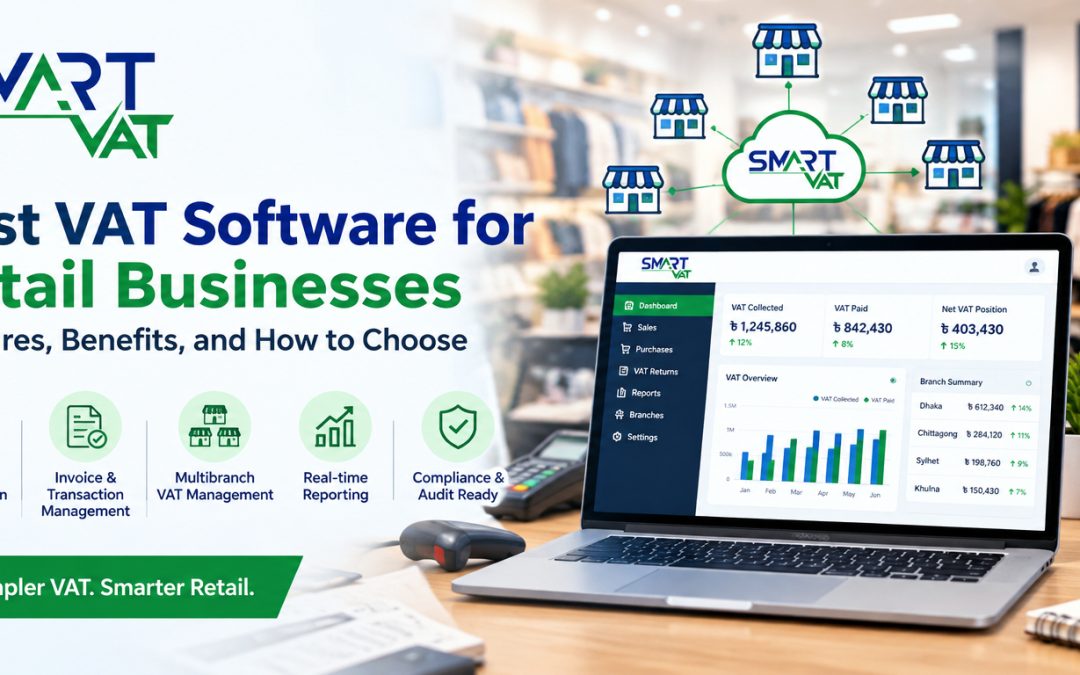
Multibranch VAT software brings data from every outlet into one place while keeping branch identity intact. This lets head office see consolidated VAT figures and still drill into a single store. It also removes the need to email spreadsheets between branches.
VAT Return and Regulatory Reporting
VAT return software should prepare the returns and records that Bangladesh VAT rules require, using data already in the system. The point is to reduce retyping. A strong tool also helps your team spot missing or inconsistent data before a return is finalized.
Real Time VAT Data and Reporting
Real time reporting means you can see VAT collected, VAT paid on purchases, and the net position during the month, not only after it closes. A finance manager can then notice that one branch has unusually low VAT collected and investigate immediately.
Audit Trail and Record Keeping
An audit trail logs who created, changed, or approved a record and when. This protects retailers during reviews because every figure can be traced back to a transaction. Check that edits are logged rather than silently overwritten, and that records remain accessible for as long as you need them.
POS, ERP, and Accounting Integration
Integration lets VAT data flow from your existing systems without double entry. A retailer with a POS in stores and an ERP at head office should ask how data is transferred, how often it syncs, and what happens when a connection fails. Open API support is a useful sign of flexibility.
User Roles and Access Control
Role based access ensures that cashiers, branch managers, accountants, and administrators see and change only what their jobs require. In a chain, this limits accidental edits and supports internal control.
Cloud Based Access
Is cloud based VAT software useful for retail businesses? Yes, in most cases. A web based platform lets head office and branch teams work from one live data set without installing software at every location. Ask about data security, backups, and what access you retain if your internet connection is interrupted.
Scalable Reporting for Growing Retail Businesses
A system that works for two shops may struggle at twenty. Ask whether performance, reporting, and user management stay practical as you add branches, products, and transaction volume, and whether new outlets can be added without a major project.
How VAT Software Helps Retail Chains Manage Multiple Branches
VAT software helps retail chains by centralizing VAT data from every outlet so head office can monitor, compare, and report from one source. In practice, that delivers several benefits:
- Centralized VAT data. Sales, purchases, and adjustments from all branches live in one system.
- Branch level reporting. You can review VAT figures for a single outlet when needed.
- Consolidated reporting. Head office gets a combined view without manual merging.
- Branch comparison. Side by side figures reveal outliers, such as a branch with unusually high returns.
- Inconsistency detection. Differences in VAT treatment between branches become visible early.
- Centralized monitoring. Finance teams track the position during the month instead of waiting for closing.
- Less manual consolidation. Staff spend time reviewing exceptions, not copying numbers.
For example, if one outlet applies a different VAT treatment to the same product category, a centralized report makes the difference easy to find before it reaches your return.
VAT Compliance Challenges for Retail Businesses in Bangladesh
In Bangladesh, VAT is administered by the National Board of Revenue (NBR) under the Value Added Tax and Supplementary Duty Act, 2012. Registered businesses are expected to issue proper tax invoices, maintain required books and records, and submit returns using prescribed Mushak forms through NBR channels.
For retailers, the practical challenges tend to be consistent:
- Keeping invoice and sales records accurate across many counters and branches.
- Matching purchase records with the VAT paid on inputs.
- Preparing returns on time without a last minute scramble.
- Keeping records organized enough to support a review or audit.
- Staying current as rates, forms, and procedures change.
NBR has also introduced electronic fiscal devices and sales data controllers for selected sectors, so retailers should check whether any such requirement applies to their business and how their POS setup interacts with it.
Regulations, rates, forms, and deadlines can change. Always confirm current requirements on the NBR website or with a qualified VAT consultant. This article is general information, not legal or tax advice. NBR also maintains a list of enlisted VAT software providers, which is a useful reference point when you shortlist vendors.
How to Choose VAT Software for a Retail Business
To choose VAT software for a retail business, match the system to your branch structure, transaction volume, existing tools, and compliance workflow. Use this checklist:
- Compliance capabilities: Does it support Bangladesh VAT requirements and the Mushak forms your business needs? Is the vendor enlisted by NBR?
- Multibranch support: Can it manage every outlet with branch level and consolidated reporting?
- Integration: Does it connect with your POS, ERP, or accounting software without double entry?
- Reporting: Are reports flexible, current, and easy to export?
- Audit trail: Are changes logged with user and time details?
- Ease of use: Can finance and branch staff learn it quickly?
- Security: How are data, permissions, and backups handled?
- Scalability: Will it handle more branches and higher volume?
- Vendor support: What training, onboarding, and ongoing help are offered?
- Data accessibility: Can you access and export your records whenever needed?
- Implementation requirements: What setup, data migration, and timeline should you expect?
SmartVAT for Retail Businesses
SmartVAT VAT management software is one example of a VAT management solution that retailers can evaluate against the checklist above. According to its official pages, SmartVAT is enlisted by the National Board of Revenue and is designed for manufacturers, traders, retailers, and service businesses in Bangladesh.
The features described on the official SmartVAT sources that are most relevant to retail include:
- Automated VAT calculation on sales and purchase transactions, with support for multiple VAT rates and supplementary duties.
- Input and output tax matching with real time VAT liability tracking.
- Return and form generation, including Mushak 9.1, 9.2, and 4.3, with deadline tracking and reminders.
- Audit trail records for transactions, calculations, and filings.
- Multibranch support, with consolidated or location specific reports from one central platform.
- Integration with third party ERP, accounting, and POS systems through open API.
- Web based access and data migration support when moving from an existing system.
A retailer with several outlets, an existing POS or ERP, and a finance team tired of manual consolidation may find these capabilities relevant. A single small shop with simple needs may weigh the setup effort differently. The right approach is to review the platform on the official SmartVAT website, test it against your own workflow, and confirm details directly with the team.
Questions to Ask Before Buying VAT Software
Bring these questions to every vendor demo:
- Is the software suitable for multibranch retail businesses?
- Can it integrate with our POS or ERP, and how does data sync?
- How are VAT transactions recorded, corrected, and reversed?
- What reporting capabilities are available, and can we customize them?
- Does it maintain an audit trail, and who can view it?
- How is user access controlled by role and branch?
- Can the software scale as we add branches and products?
- How is our existing data migrated?
- What support and implementation services are available?
- How are updates handled when VAT rules change?
Conclusion
The best VAT software for retail businesses is not defined by a single feature. It is the system that fits your transaction volume, branch structure, integration needs, reporting expectations, and compliance workflow. Start with the checklist, request demos, and test the software against real scenarios such as returns, branch transfers, and month end consolidation.
If you manage multiple outlets and want to see how a dedicated VAT platform could fit alongside your current systems, you can request a SmartVAT demo and review the features against your own requirements.
What is the best VAT software for retail businesses?
The best option is the one that matches your branch structure, POS or ERP setup, reporting needs, and Bangladesh VAT compliance workflow. Compare vendors on automation, multibranch support, audit trail, integration, and support instead of choosing on price alone.
Why do retail businesses need VAT software?
Retailers handle large transaction volumes across many branches, which makes manual VAT calculation and reporting error prone. VAT software automates recording, calculation, and reporting, and keeps records organized for review.
Can VAT software integrate with a POS system?
Many VAT platforms can connect with POS, ERP, and accounting systems, often through an API. Always ask a vendor how data syncs, how often, and what happens when a connection fails.
What is multibranch VAT software?
It is software that manages VAT data from several outlets in one platform, giving both branch level and consolidated reports. This helps head office monitor and compare branches without manual merging.
Does VAT software guarantee compliance?
No. Software supports compliance by improving accuracy and record keeping, but the business remains responsible for its VAT obligations. Confirm current rules with NBR or a qualified VAT consultant.
What should a VAT audit trail include?
A useful audit trail records who created, edited, or approved a transaction, when it happened, and what changed. It should link figures in reports back to their source records.
Is cloud based VAT software suitable for retail chains?
Generally yes. A web based system gives head office and branches access to the same data without local installation. Check security, backups, and what happens during internet outages.
How do I choose VAT software for my retail business?
List your needs, including branches, integrations, reports, and users. Shortlist vendors, request demos with real retail scenarios, and compare them using a consistent checklist covering compliance, support, security, and scalability.