
Author

Best VAT Return Software for Small Business
Many small business owners in Bangladesh still track sales, purchases, and VAT calculations in spreadsheets. As transaction volume grows, this manual process gets slower, harder to reconcile, and more likely to produce errors before the monthly VAT return deadline. Finding the best VAT return software for small business needs is often the turning point where owners decide to automate VAT calculation, input and output VAT tracking, Mushak form generation, and monthly VAT return preparation, instead of chasing numbers across multiple sheets. This guide explains what VAT return software does, what small businesses in Bangladesh should evaluate before buying, and how a platform such as SmartVAT fits into that evaluation.
What Is VAT Return Software?
VAT return software is a digital tool that automates the calculation, tracking, and reporting of Value Added Tax for a business. Instead of manually computing VAT on every invoice or purchase, the software applies the applicable NBR VAT rate to each transaction and keeps a running record of what is owed and what can be reclaimed.
For a small business in Bangladesh, VAT return software typically supports:
- Automatic VAT calculation on sales and purchase transactions
- Input VAT and output VAT tracking, so net VAT payable is always known
- VAT reconciliation between purchase records, sales records, and accounting entries
- Generation of required Mushak forms under the VAT and Supplementary Duty Act, 2012
- Preparation of monthly VAT returns for submission to the National Board of Revenue (NBR)
- Digital record keeping of invoices, credit notes, debit notes, and VAT transaction history
- An audit trail that logs every transaction and edit for compliance review
- Integration with accounting software, ERP systems, or POS systems already in use
In short, VAT return software replaces the spreadsheet-and-calculator approach with a system built specifically around VAT compliance requirements in Bangladesh.
Why Small Businesses Need VAT Return Software
Manual VAT management works when a business raises a handful of invoices a month. It becomes difficult once transaction volume increases, staff turnover happens, or a business operates across more than one location. Common problems small businesses face without dedicated VAT return software include:
- Spreadsheet errors: a single wrong formula or manually typed figure can throw off an entire VAT return.
- Repetitive data entry: the same transaction is often entered once for accounting and again for VAT records, doubling the workload.
- Manual calculations: applying the correct VAT rate by hand increases the risk of mistakes, especially with multiple rate categories or supplementary duty.
- Difficult reconciliation: matching input VAT on purchases against output VAT on sales, and against Mushak reference numbers manually, is time-consuming.
- Missing or inconsistent records: paper-based or scattered digital records make it hard to produce a complete VAT trail if NBR requests one.
- Time-consuming reporting: preparing Mushak 9.1 along with supporting purchase and sales registers by hand can take days each month.
- Difficulty tracking VAT payable: without real-time visibility, a business may not know its net VAT position until the return is nearly due.
- Manual return preparation: filling out return forms by hand increases the chance of errors that can trigger NBR queries.
- Historical record management: retrieving VAT records from previous periods for audits or comparisons is harder without a searchable digital system.
VAT automation addresses these problems directly by reducing manual touchpoints and keeping VAT data structured and searchable.
What Should Small Businesses Look for in VAT Return Software?
Before choosing any VAT software, it helps to evaluate it against a clear checklist. Below are the criteria that matter most for a small business in Bangladesh.
- Automated VAT calculations: The software should apply the correct VAT rate automatically on every transaction, reducing manual formula work.
- Input and output VAT tracking: You should be able to see input VAT on purchases and output VAT on sales separately and in combination.
- VAT reconciliation: Built-in reconciliation tools should match purchase and sales records automatically rather than requiring manual cross-checking.
- Mushak form generation: The software should generate the Mushak forms your business actually needs, such as Mushak 6.3 (sales invoice), Mushak 9.1 (VAT return), and others relevant to your operations.
- VAT return preparation: Beyond calculations, the system should assemble return-ready reports that align with NBR submission requirements.
- Real-time reporting: A dashboard that shows current VAT liability, sales, and purchases at any point in the month is more useful than static, end-of-month reports.
- Audit trail: Every transaction, edit, and generated document should be logged with a timestamp so the business can respond confidently to an NBR audit.
- Data security: VAT and financial data is sensitive, so check how the platform handles access control, data backup, and hosting.
- ERP, accounting, or POS integration: If you already use accounting or point-of-sale software, the VAT solution should connect to it rather than requiring duplicate entry.
- Ease of use: A simple, well-organized interface reduces training time for staff who are not accountants by profession.
- Scalability: The software should support business growth, including additional users, branches, or transaction volume, without requiring a platform switch.
- Customer support: Responsive support matters most in the days before a filing deadline, when issues need to be resolved quickly.
- Data import and export: The ability to import historical records and export reports in usable formats saves time during onboarding and audits.
- Reporting flexibility: Look for the ability to generate reports by date range, branch, product category, or customer, not only a fixed monthly format.
- NBR enlistment status: Where applicable, check whether the software provider is enlisted with the National Board of Revenue and whether its output formats reflect current NBR requirements.
How to Compare VAT Return Software for Small Business
Once you understand what to look for, comparing options side by side makes the decision easier. Use the framework below as a working checklist during vendor evaluation or demos.
|
Feature |
Why It Matters for Small Businesses |
What to Check |
|
Automated VAT calculation |
Removes manual formula errors on every invoice |
Confirm it applies current NBR VAT rates and supports multiple rate categories |
|
Input and output VAT tracking |
Keeps net VAT payable accurate and visible |
Check whether tracking updates in real time or only at month-end |
|
VAT reconciliation |
Prevents mismatches between purchase and sales records |
Ask if reconciliation is automatic or requires manual matching |
|
Mushak form generation |
Saves hours of manual paperwork each month |
Confirm which specific Mushak forms are supported |
|
VAT return preparation |
Speeds up monthly filing and reduces last-minute errors |
Check if reports are formatted for direct NBR submission |
|
Real-time reporting |
Gives ongoing visibility into VAT position |
Look for a live dashboard, not only static exports |
|
Audit trail |
Protects the business during an NBR review |
Confirm every entry and edit is logged with a timestamp |
|
ERP, accounting, or POS integration |
Avoids duplicate data entry across systems |
Ask about API availability and which systems are supported |
|
Data security |
Protects sensitive financial and transaction data |
Ask about access control, backups, and hosting practices |
|
Scalability and support |
Ensures the software grows with the business |
Check multi-branch, multi-user support, and support response times |
SmartVAT for Small Business VAT Management
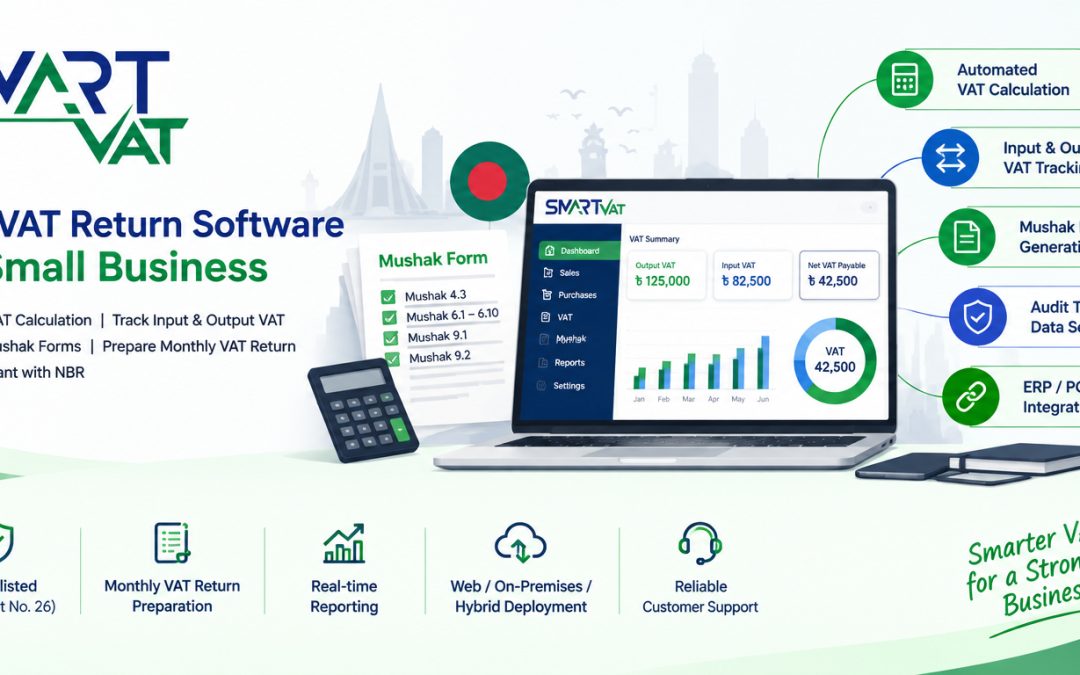
SmartVAT, developed by DISYSTEM, is a VAT management software built for businesses operating in Bangladesh. It is listed as an NBR enlisted VAT software (enlistment No. 26) and is designed to align with the VAT and Supplementary Duty Act, 2012.
Based on information published on SmartVAT’s own website, the platform addresses several of the evaluation points covered above:
- VAT calculation automation: SmartVAT calculates VAT on sales and purchase transactions based on applicable rates, reducing manual formula work.
- Input and output VAT management: the platform tracks input and output VAT and supports reconciliation so net VAT payable stays accurate.
- Mushak form coverage: SmartVAT’s documented Mushak coverage includes Mushak 4.3 (Input-Output Coefficient Declaration), Mushak 6.1 to 6.10 (purchase and sales account books, invoices, credit and debit notes), and Mushak 9.1 and 9.2 (VAT return and turnover tax return).
- VAT reporting: the software is built to generate VAT-related reports and transaction detail through an online dashboard.
- Audit trail: transaction and reporting history is maintained to support compliance review.
- ERP, accounting, and POS integration: SmartVAT offers third-party and system API integration, so it can connect with existing ERP, accounting, or POS systems rather than requiring a full system replacement.
- Data import and export: the platform supports importing and exporting VAT-related data.
- Deployment flexibility: SmartVAT is offered as a web-based, on-premises, or hybrid deployment, depending on business preference.
SmartVAT is used across several industries, including FMCG, furniture, chemical, pharmaceutical, oil and gas, and hotels and restaurants, based on the industry list published on its website.
For a closer, feature-by-feature look at how the platform approaches VAT automation, the SmartVAT VAT management software overview outlines these capabilities in more detail.
Small businesses evaluating SmartVAT should still apply the checklist covered earlier in this guide, confirm current pricing directly with the vendor, request a live demo, and verify NBR enlistment status independently before making a final decision.
Looking for VAT Return Software for Your Small Business?
If your business is still relying on spreadsheets for VAT calculation, reconciliation, and return preparation, it may be worth evaluating a dedicated VAT return software for small business needs. The right platform should reduce repetitive manual work, give clearer visibility into your VAT position throughout the month, keep organized VAT records for audits, and connect with the accounting, ERP, or POS systems you already use.
If SmartVAT looks like a fit based on the criteria in this guide, you can request a demo to see how the platform handles VAT calculation, Mushak form generation, and VAT filing for a business similar to yours, or get in touch with the team to discuss your VAT management needs directly.
Whichever VAT return software for small business you eventually choose, base the decision on a live demo, a clear look at supported Mushak forms, and confirmation of NBR enlistment, rather than marketing claims alone.
Frequently Asked Questions
What is the best VAT return software for a small business?
There is no single universal best VAT return software for a small business, since the right choice depends on your industry, transaction volume, and existing systems. The best VAT return software for small business needs is one that automates VAT calculation, supports the Mushak forms your business must file, integrates with your existing accounting or POS software, and is enlisted with the NBR. Comparing a few options against a clear checklist, rather than relying on marketing claims, is the most reliable way to choose.
Is VAT software useful for small businesses?
Yes, VAT software is useful for small businesses because it reduces manual calculation errors, speeds up monthly VAT return preparation, and keeps VAT records organized for compliance and audits. Even businesses with a moderate transaction volume can benefit once spreadsheet-based tracking starts becoming time-consuming or error-prone.
What does VAT return software do?
VAT return software automates the calculation of VAT on sales and purchase transactions, tracks input and output VAT, reconciles records, generates required Mushak forms, and prepares data for monthly VAT return submission to the NBR. Most platforms also maintain an audit trail and support integration with accounting or ERP systems.
Can VAT software calculate VAT automatically?
Yes, most VAT return software calculates VAT automatically by applying the applicable VAT rate to each transaction as it is recorded. This removes the need to apply formulas manually in a spreadsheet and reduces the risk of calculation errors, particularly when a business deals with multiple VAT rate categories or supplementary duty.
Can VAT software generate Mushak forms?
Many VAT return software platforms can generate Mushak forms such as Mushak 6.3 (sales invoice), Mushak 9.1 (VAT return), and other forms required under the VAT and Supplementary Duty Act, 2012. Businesses should confirm exactly which Mushak forms a specific platform supports before purchasing, since coverage can vary between providers.
Can VAT software help prepare VAT returns?
Yes, VAT return software helps prepare VAT returns by consolidating transaction data, calculating net VAT payable, and organizing the information into the format required for NBR submission. This reduces the manual work of pulling numbers from multiple sources before the monthly filing deadline.
Can small businesses integrate VAT software with accounting software?
Many VAT return software platforms are designed to integrate with existing accounting, ERP, or POS systems through APIs, so businesses do not need to replace their current software. This kind of integration keeps VAT data synchronized with sales and purchase records automatically, though the exact integration options depend on the specific platforms involved and should be confirmed with the vendor.
Can VAT software integrate with POS systems?
Some VAT return software solutions support integration with POS systems, particularly those built for retail, FMCG, or hospitality businesses that process a high volume of daily transactions. This allows VAT to be calculated and recorded at the point of sale rather than re-entered later, though availability depends on the specific software and POS system involved.
What should I check before choosing VAT software?
Before choosing VAT software, check whether it automates VAT calculation correctly, generates the Mushak forms your business needs, supports reconciliation and real-time reporting, integrates with your existing systems, and maintains a proper audit trail. It is also worth confirming NBR enlistment status and requesting a live demo before making a final decision.
Is SmartVAT suitable for small businesses?
SmartVAT is positioned as an NBR enlisted VAT management software that supports VAT calculation, Mushak form generation, reconciliation, and integration with accounting, ERP, or POS systems. Whether it suits a specific small business depends on that business’s transaction volume, industry, and existing software stack, so requesting a demo and comparing it against the evaluation criteria in this guide is recommended.
How does VAT automation reduce manual work?
VAT automation reduces manual work by calculating VAT on transactions automatically, matching input and output VAT without manual cross-checking, and generating reports and forms directly from recorded data. This removes many of the repetitive, error-prone steps involved in spreadsheet-based VAT management.
Does VAT software help maintain VAT records?
Yes, VAT software helps maintain VAT records by storing transaction history, generated Mushak forms, and reconciliation data in a searchable digital format. This makes it easier to retrieve historical records during an NBR audit or when reviewing past VAT performance, compared to scattered paper or spreadsheet files.
VAT rules, forms, and filing deadlines in Bangladesh are subject to change through NBR orders and amendments to the VAT and Supplementary Duty Act, 2012. Always verify current requirements directly with the National Board of Revenue or a qualified tax professional before filing.