
Author

An accountant at a small firm handles VAT for six client companies. Each client sends purchase invoices in a different format. One keeps sales in an ERP, another in a POS export, a third in a hand edited spreadsheet. By the time the figures are consolidated, the input VAT total is off by a small amount, and nobody can say which invoice caused it.
This is what manual VAT management looks like in practice. Spreadsheets can calculate VAT, but they cannot enforce consistent data entry, flag a missing invoice or show who changed a figure. As transaction volumes grow, so do the workload and the risk of errors.
Choosing the best VAT software for accountants and bookkeepers is therefore less about a long feature list and more about how well a tool fits the monthly VAT workflow. This guide sets out an evaluation framework first, then shows where SmartVAT fits.
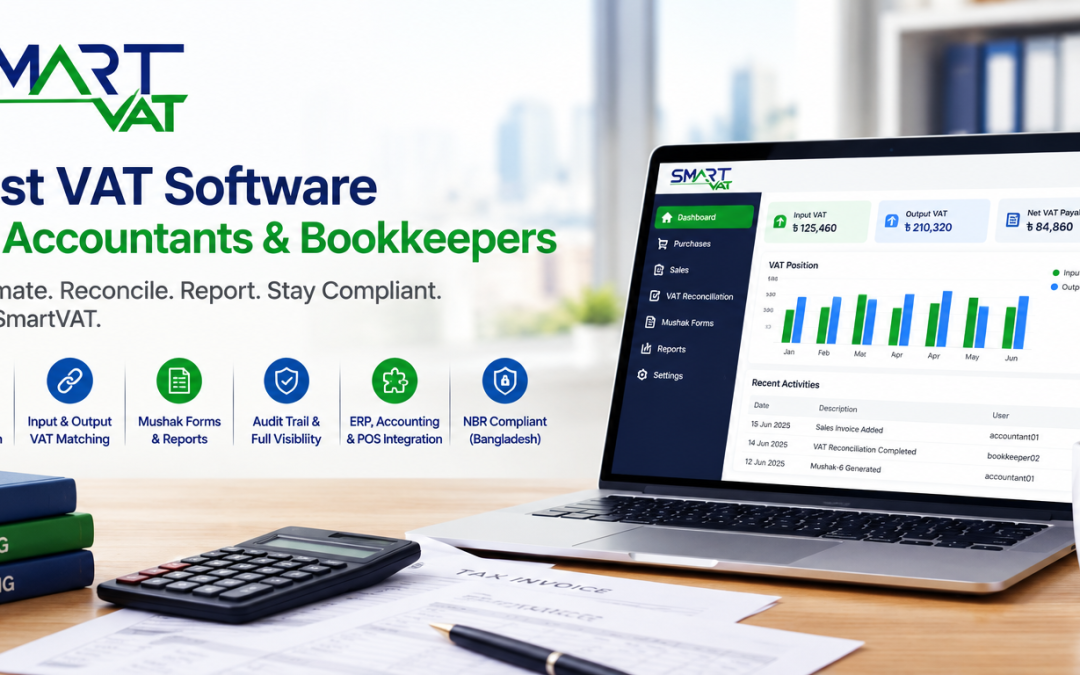
Short answer: The best VAT software for accountants and bookkeepers automates VAT calculation, matches input and output VAT, prepares Mushak reports, keeps an audit trail and connects with the accounting, ERP or POS systems already in use. In Bangladesh, it should also align with National Board of Revenue (NBR) requirements.
What Is VAT Software for Accountants and Bookkeepers?
VAT software for accountants and bookkeepers is a digital system that records VAT on purchases and sales, calculates input and output VAT, supports reconciliation and prepares the reports and returns needed for VAT compliance. It replaces manual workings with structured, traceable records that a finance team can review at any time.
In Bangladesh, VAT is administered by the National Board of Revenue (NBR) under the Value Added Tax and Supplementary Duty Act, 2012. Local software should therefore reflect NBR’s prescribed forms, known as Mushak forms, and its record keeping requirements.
Vendors use labels such as VAT management software, VAT automation software, VAT compliance software and VAT return software for overlapping tools. The label matters less than the capabilities underneath it.
Why Accountants and Bookkeepers Need VAT Software
For finance professionals, the case for VAT software rests on time, accuracy and evidence. The main gains are:
- Less manual data entry. Transactions arrive through import or integration instead of being retyped.
- Faster VAT calculation. Rates and rules are applied consistently, so the team reviews exceptions rather than recalculating everything.
- Better reconciliation. Input and output VAT can be matched against source records, which shortens the search for differences. See this guide to VAT reconciliation for the underlying process.
- Easier reporting. Mushak reports and summaries come from the same data instead of being rebuilt each month.
- Fewer errors. Validation and consistent formulas reduce the typing and formula mistakes common in spreadsheets.
- Audit readiness. Entries, changes and filings can be traced when records are requested.
- Real time visibility. The VAT position is visible during the month, not only after the books are closed.
- Smoother monthly close. VAT stops being a separate, last minute exercise.
What Makes the Best VAT Software for Accountants & Bookkeepers?
The best VAT software for accountants and bookkeepers is the one that fits how the team actually works. Use the fourteen criteria below as a scoring sheet when comparing vendors.
1. Automated VAT Calculation
The system should apply VAT and supplementary duty to each transaction without manual formulas. Ask how rates are updated when NBR changes them.
2. Input and Output VAT Tracking
Purchases and sales should be recorded with their VAT in separate, reportable registers, with a running view of the net position.
3. VAT Reconciliation
Look for tools that highlight unmatched invoices, credit notes and debit notes, rather than leaving the team to compare totals by hand.
4. VAT Return Preparation
The software should compile return data from recorded transactions and let the accountant review it before submission.
5. Mushak Form and Report Generation
Ask for a list of supported Mushak forms and compare the output with the formats on the NBR VAT forms page.
6. Real Time VAT Reporting
Dashboards and reports should reflect current data, so VAT liability is visible while the month is still open.
7. Accounting, ERP and POS Integration
A VAT tool that cannot exchange data with your existing systems recreates the data entry problem. Ask whether integration is API based, file based or manual.
8. Audit Trail and Historical Records
Every transaction, change and filing should be logged and retrievable by period, branch and user.
9. Multiple Branch Support
Branches should post to one platform, with both consolidated and branch level reports available.
10. Role Based Access and Security
Accountants, bookkeepers and reviewers need different permissions. Ask how access is controlled and how data is protected and backed up.
11. Data Import and Export
Bulk import for opening balances and export to Excel or PDF for reviews are everyday needs, not extras.
12. Ease of Use
A bookkeeper should be able to learn the daily workflow quickly. A trial or demo with real invoices is the fastest test.
13. Scalability
Check that the software can handle more transactions, branches and users without a change of platform.
14. Vendor Support and Implementation
Ask about onboarding, data migration, training and the support available around filing periods.
Best VAT Software Features for Accountants
The table below condenses the most important features into a quick reference for shortlisting.
|
Feature |
Why Accountants Need It |
What to Look For |
|---|---|---|
|
Automated VAT calculation |
Removes repeated manual formulas and rate errors |
Rules for multiple rates and supplementary duty, with a clear update process |
|
Input and output VAT matching |
Speeds up reconciliation and shows the net VAT position |
Automatic matching with a list of exceptions to review |
|
Mushak form generation |
Avoids rebuilding forms from spreadsheets each period |
A published list of supported forms that matches NBR formats |
|
Real time reporting |
Gives visibility before the period closes |
Filters by period, branch and transaction type, with export options |
|
Accounting, ERP and POS integration |
Prevents double entry across systems |
API or import support for the systems you already use |
|
Audit trail |
Provides evidence when records are requested |
Logs of entries, edits and filings, retrievable by user and date |
|
Multiple branch support |
Consolidates VAT data across locations |
Branch level and combined reports from one platform |
Manual VAT Management vs VAT Software for Accountants
Manual processes work at low volume. The gap widens as invoices, branches and clients increase.
|
Area |
Manual Process |
VAT Software |
|---|---|---|
|
VAT calculation |
Formulas maintained in spreadsheets |
Rules applied consistently to every transaction |
|
Reconciliation |
Totals compared by hand |
Matching with exceptions flagged for review |
|
Reporting |
Rebuilt each period |
Generated from recorded data |
|
Data entry |
Repeated retyping between files |
Import or integration from source systems |
|
Error risk |
High, with no built in checks |
Lower, with validation and consistent logic |
|
Audit trail |
Scattered files and email threads |
Central log of entries and changes |
|
Multiple branches |
Separate files merged manually |
One platform with consolidated views |
|
Integration |
Exports and copy and paste |
Connection to accounting, ERP or POS systems |
|
Reporting speed |
Slow, often at the deadline |
Faster, with current data available |
How to Choose the Best VAT Software for Your Accounting Workflow
A structured selection process prevents buying on presentation alone. Four steps work well for most accounting teams:
- Map the current workflow. List where VAT data originates (accounting software, ERP, POS, spreadsheets) and where errors or delays occur.
- Score vendors on the fourteen criteria. Weight the criteria by your workload, such as reconciliation or multiple branch reporting.
- Verify regulatory claims at the source. NBR publishes a list of enlisted software firms and its own VAT compliance guides. For a broader buyer’s view, see this guide on choosing VAT compliance software.
- Run a demo with your own data. Use real invoices, credit notes and a branch scenario instead of sample data.
Questions to Ask Every VAT Software Vendor
- Is the software aligned with current NBR requirements, and how are changes handled?
- Which Mushak forms are supported?
- Can input and output VAT be reconciled automatically?
- Can it integrate with our accounting software or ERP?
- Can it connect with our POS systems?
- Does it support multiple branches?
- Is there a complete audit trail?
- Can historical VAT data be migrated?
- What reporting capabilities are available?
- How are user roles and permissions managed?
- What support is provided during filing periods?
- How is the software priced and deployed?
Why SmartVAT Is a Strong Option for Accountants & Bookkeepers
SmartVAT is a VAT management platform for businesses in Bangladesh. The SmartVAT VAT management software is described on its product page as a system that automates VAT calculation, Mushak reporting and return preparation under the VAT and Supplementary Duty Act, 2012.
Because this is a buying guide, it helps to separate what can be checked independently from what the vendor states.
What Can Be Verified Independently
NBR’s list of enlisted software firms includes Digital Intelligence System Ltd at serial number 26, with smartvat.com.bd as its website. Readers can check this entry directly at the source. Enlistment is not a guarantee that every feature suits every client, so accountants should still confirm which forms and capabilities apply to their clients.
What SmartVAT States About Its Capabilities
The points below come from the SmartVAT overview and the Bravosoft product page. Treat them as vendor statements to confirm during a demo:
- Automatic VAT calculation on sales and purchase transactions, with support for multiple VAT rates and supplementary duties.
- Input and output tax tracking with automatic matching.
- Mushak forms, with the SmartVAT website listing 4.3, 6.1, 6.2, 6.2.1, 6.3, 6.4, 6.5, 6.6, 6.7, 6.8, 6.9, 6.10, 9.1 and 9.2.
- Real time VAT reports from a dashboard, with full transaction history.
- Integration with ERP, accounting and POS systems through open API, plus data import and export.
- Audit trail and digital record keeping for transactions, calculations and filings.
- VAT management across multiple branches from one platform.
- Data migration from the current system.
- Access through the web, with on premises, cloud and hybrid deployment models described on the SmartVAT website.
The pages reviewed for this article do not publish pricing or detail role based permissions. Both belong on your demo checklist.
SmartVAT for Accountants: Key Benefits
Based on the capabilities listed above, these are the areas where accountants and bookkeepers are most likely to notice a difference.
Reduce Repetitive VAT Calculations
Automatic calculation on each transaction can replace formula maintenance and reduce rate related mistakes.
Reconcile Input and Output VAT Faster
Automatic matching gives the team a defined list of items to investigate instead of a full manual comparison.
Prepare VAT Reports More Efficiently
Mushak forms and reports generated from recorded transactions reduce the time spent rebuilding workings each period.
Maintain Better Audit Records
An audit trail and digital record keeping keep supporting records in one place, which helps when documents are requested.
Connect VAT Data with Existing Accounting Systems
API based integration is intended to keep VAT data in sync with ERP, accounting and POS systems, so bookkeepers avoid duplicate entry.
Manage Multiple Branches from One Platform
Branch data can be consolidated, with combined or location specific reports, which suits clients with several outlets.
Get Better Visibility into VAT Liabilities
Real time reporting lets accountants review the VAT position during the month and plan ahead of each filing period.
SmartVAT vs Manual VAT Management
For an accountant weighing a change, the comparison comes down to a few daily tasks.
|
Task |
Manual VAT Management |
SmartVAT (as stated by the vendor) |
|---|---|---|
|
Calculating VAT |
Spreadsheet formulas, checked by hand |
Automatic calculation on every transaction |
|
Matching input and output VAT |
Line by line comparison |
Automatic matching of both |
|
Preparing Mushak forms |
Compiled manually from workings |
Generated from transaction data |
|
Keeping records |
Files across folders and inboxes |
Digital records with an audit trail |
|
Handling branches |
Separate files merged at month end |
Central management across branches |
|
Linking to other systems |
Exports and retyping |
Open API integration with ERP, accounting and POS |
Who Should Consider SmartVAT?
SmartVAT is most relevant for teams that have outgrown spreadsheet based VAT work. Typical profiles include:
- SMEs with an in house accountant who spends too much time on monthly VAT workings. A related read is the guide to VAT return software for small business.
- Accounting teams that prepare VAT for several entities and need consistent records.
- Businesses with high transaction volumes, where manual checking no longer scales.
- Multiple branch businesses that need consolidated and branch level reporting.
- Businesses using ERP, accounting or POS systems, where integration can reduce double entry. Retail teams can also read about VAT software for retail businesses.
- Companies struggling with manual VAT reconciliation and recurring month end differences.
- Businesses that want more structured VAT records for review and audit.
Request a SmartVAT Demo
Want to see how SmartVAT can fit into your accounting and VAT workflow? Request a demo and explore the platform with your actual business requirements, or reach the team through the Get in Touch page.
Frequently Asked Questions
What is the best VAT software for accountants and bookkeepers?
The best VAT software for accountants and bookkeepers automates VAT calculation, matches input and output VAT, prepares Mushak reports, keeps a full audit trail and integrates with existing accounting, ERP or POS systems. In Bangladesh it should also align with NBR requirements. SmartVAT is one NBR enlisted option to evaluate.
What features should accountants look for in VAT software?
Prioritize automated VAT calculation, input and output VAT tracking, reconciliation, Mushak form generation, real time reporting, accounting and ERP integration, audit trails, multiple branch support, role based access and dependable vendor support. Test each feature with your own transaction data during a demo.
Can VAT software automate VAT reconciliation?
Largely, yes. VAT software can match input and output VAT against recorded purchases, sales and adjustment notes, and flag differences for review. Accountants still investigate exceptions and approve the result, but the manual comparison of totals across spreadsheets is mostly removed.
Can VAT software integrate with accounting software?
Many platforms can, but integration varies by vendor. Ask whether the connection uses an API, file import or manual entry, and which of your systems are supported. SmartVAT states that it integrates with ERP, accounting and POS systems through open API.
Does VAT software help prepare Mushak forms?
Yes. Good VAT software compiles transaction data into the Mushak forms and registers used for VAT compliance in Bangladesh, such as Mushak 9.1 for the VAT return. Compare generated output with the formats published by NBR and confirm which forms the vendor supports.
Is SmartVAT suitable for accountants in Bangladesh?
SmartVAT is built for Bangladesh VAT requirements and appears on NBR’s list of enlisted software firms. Its stated features, including reconciliation, Mushak reporting, integration, audit trail and multiple branch support, match common accountant needs. Suitability for a specific client depends on its systems and VAT requirements, so a demo is the best check
Can SmartVAT integrate with ERP and POS systems?
According to the Bravosoft product page, SmartVAT integrates with third party ERP, accounting and POS systems through open API, so VAT data can stay in sync with other business systems. Confirm the specific systems, data fields and sync frequency for your setup during a demo.
How does VAT software reduce accounting workload?
It reduces repetitive entry, applies VAT calculations consistently, supports reconciliation and produces reports from the same data. That leaves accountants and bookkeepers to review exceptions and advise clients, rather than rebuild VAT workings for every filing period.