
Author

In Bangladesh, e-VAT is the common name for the electronic VAT services run by the National Board of Revenue (NBR), reached mainly through the official VAT online portal. These services let businesses handle VAT tasks such as registration, return filing, and tax payment without visiting a VAT office. Online VAT submission is one part of that system: the act of sending a VAT return to NBR electronically.
Many business owners search for “what is e-VAT online VAT submission” because the two terms appear together, yet they describe different things. This guide explains each term, outlines the general filing process, and lists what to verify before you submit a return.
What Is e-VAT?
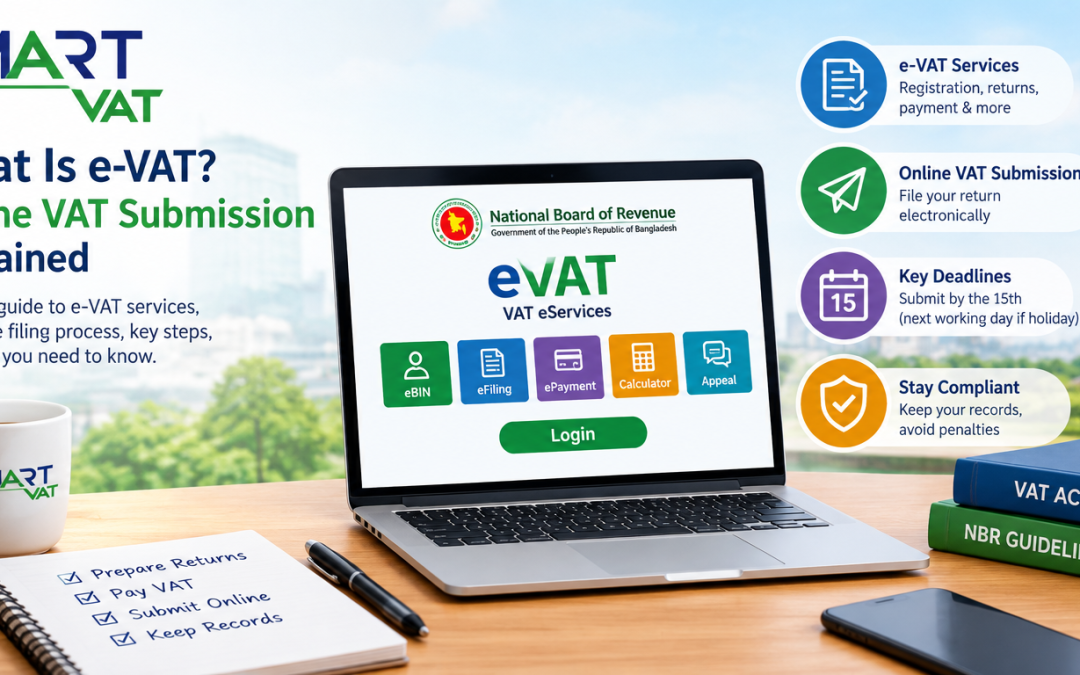
e-VAT refers to the electronic VAT services of the National Board of Revenue, Bangladesh’s tax authority. NBR groups these tools under VAT eServices, which include eBIN for business identification, VAT eFiling for returns, ePayment for paying tax, a VAT calculator, an online appeal facility, and a VAT call centre.
The label e-VAT is used loosely. NBR presents it as a set of services at the eVAT portal rather than one product with a fixed definition, so think of e-VAT as the online environment and online submission as one task inside it.
VAT in Bangladesh is governed by the Value Added Tax and Supplementary Duty Act 2012 and its rules, published on NBR’s VAT Act page. The electronic services support those legal duties; they do not replace them.
What Is Online VAT Submission in Bangladesh?
Online VAT submission means filing a VAT return with NBR through the electronic system instead of delivering paper forms to a VAT office. The return summarizes a tax period: output tax on sales, input tax on purchases, adjustments, and the net amount payable. NBR’s VAT FAQ describes the standard return for registered persons as Form 9.1 (known as Mushak 9.1 in current usage) and the turnover tax return for enlisted persons as Form 9.2.
Filing a return versus paying VAT
Submitting a return reports figures. Paying VAT moves money. These are separate actions, and NBR’s FAQ treats them that way. It states that net tax should be deposited before the return is submitted, and that submitting a return with positive net tax unpaid can lead to interest after the 15th of the following month, along with a pecuniary penalty. Payment is made through NBR’s ePayment service, which is listed on the same eServices page.
Online availability does not change the rules
Using the portal does not alter legal duties or deadlines. According to the NBR FAQ, a return is due by the 15th day of the month that follows the tax period, and when the 15th is a public holiday the return is due on the preceding working day. The same FAQ notes that online submission can be done at any hour, so the portal is open outside office time, but the deadline still applies.
How Does the e-VAT or Online VAT Submission Process Work?
NBR publishes guides and an online learning site, Learn VAT Online, and portal screens can change. The sequence below is a general overview, not a screen by screen manual.
- Confirm your status. Check whether your business is VAT registered (with a Business Identification Number, or BIN) or enlisted for turnover tax. This decides which return applies.
- Access the official portal. Sign in to the NBR eVAT portal with your own credentials. Avoid sharing logins across staff.
- Review the tax period and your records. Gather sales, purchases, credit and debit notes, and any adjustments for the period you are filing.
- Prepare the applicable return. Registered persons generally use Mushak 9.1, and enlisted persons use Mushak 9.2.
- Check figures and supporting information. Compare totals with your ledgers and invoices before anything is submitted.
- Pay any net VAT. Complete payment through ePayment where tax is due. Keep the payment confirmation.
- Submit the return. Send it through the portal and save the submission confirmation.
- Verify and retain. Confirm that the return and payment appear correctly in your account, and store the records.
What Information and Documents May Be Needed?
Requirements vary by taxpayer, transaction type, and applicable rules. NBR’s FAQ lists the following among the documents a business should preserve to maintain its VAT accounts:
- Purchase and sales ledger books.
- Tax invoices (Form 6.3) and, where relevant, contractual output invoices and goods transfer invoices.
- Withholding at source certificates, and credit and debit notes.
- Documents supporting any adjustment, plus copies of submitted returns.
The FAQ also states that VAT related documents should be kept for five years, that accounts may be maintained digitally without a parallel hard copy, and that businesses may use their own account formats as long as the information required by the rules is included. Input tax credit depends on conditions set in NBR guidance, such as holding a valid tax invoice, so check the current rules before claiming it.
What Are the Benefits of Online VAT Submission?
Online filing can make compliance easier to manage, but it does not guarantee error free returns. Practical benefits include:
- Convenience and access. The FAQ says taxpayers can submit from their own premises without contacting a VAT office.
- Easier access to records. Submitted returns and confirmations are stored electronically.
- Better organization. A fixed monthly task encourages regular book closing.
- Less reliance on paper. Digital accounts are permitted under NBR’s FAQ, which reduces printing and manual filing.
- Visibility. Finance leads can see what was filed, and for which period.
- Possible time savings. Well prepared records can shorten preparation, depending on your own processes.
What Are the Common Challenges in Online VAT Filing?
Records and calculation problems
The most frequent issues start before anyone opens the portal: incomplete or inconsistent records, missing invoices, and incorrect VAT calculations. Branches that record sales in different formats make this worse. A regular check of sales and purchase figures against ledgers, often called VAT reconciliation, helps catch gaps before the filing date.
Deadlines, access, and confirmation
Other risks are confusion about which return applies, missed deadlines, login or technical difficulties, and failing to confirm that a return and its payment were recorded. Ways to reduce these risks include:
- Set an internal deadline several days before the 15th.
- Name one person to prepare the return and another to review it.
- Test portal access well before the filing date, not on the last day.
- Save every confirmation, and check that the payment status matches the return.
Is Online VAT Submission Mandatory for Every Business in Bangladesh?
The answer depends on two separate questions: must you file a return, and must you file it online? On the first, NBR’s VAT FAQ states that each registered or enlisted person, or a person required to be registered or enlisted, must submit returns.
On the second, online filing has been required for particular categories by NBR orders. General Order No. 12/Mushak/2026, dated 20 September 2026, is reported to require online submission through the eVAT portal for producers of listed goods (cigarettes, mobile phones, MS products, medicine, beverages, cement, tiles, paints and varnishes) and for suppliers of listed services (insurance, banking and non banking services, and mobile banking). Reports also say it cancels earlier orders and allows NBR to change the lists.
Because those lists can change, and because the FAQ also describes other places where returns can be submitted, businesses should not assume one rule fits all. Confirm your category with NBR or a qualified VAT professional.
What Is the Difference Between e-VAT, Online VAT Filing, and VAT Automation Software?
These terms are often used as if they mean the same thing. They do not.
|
Term |
What it is |
Who provides it |
What it does not do |
|---|---|---|---|
|
e-VAT (VAT eServices) |
NBR’s online environment for VAT tasks such as eBIN, eFiling, ePayment, and appeals |
National Board of Revenue |
It does not prepare your books or decide your tax position for you |
|
Online VAT filing |
The act of submitting a VAT return to NBR electronically |
The taxpayer, through the official portal |
It does not include payment, which is a separate step |
|
VAT automation software |
Business software that organizes records, calculates figures, and prepares reports or return forms |
A software vendor |
It does not replace NBR’s official process or the taxpayer’s legal duties |
In short, e-VAT is the official system, online filing is an action inside it, and software is a business tool that supports the preparation work. For more on automation, see why businesses look at VAT automation software.
How Can Businesses Improve Their VAT Compliance Workflow?
A reliable workflow matters more than any single tool. Consider these habits:
- Record each tax invoice, credit note, and debit note as it happens, not at month end.
- Reconcile sales and purchase records against ledgers every month.
- Track the filing deadline on a shared calendar with reminders.
- Separate preparation from review, so a second person checks the return.
- Keep digital backups of invoices, returns, and payment confirmations for the retention period NBR requires.
Businesses with many invoices or several branches may also use VAT software. The SmartVAT VAT management solution from Bravosoft, for example, is described on its product page as generating Mushak forms from transaction data, tracking deadlines, keeping an audit trail, and connecting to ERP and POS systems through an API. Software like this supports preparation and record keeping. Submission to NBR and the final review remain the responsibility of the taxpayer and their advisers.
When comparing tools, see this guide on how to choose VAT compliance software and this overview of VAT return software for small businesses.
Final Thoughts: Know the System, Keep Clean Records
e-VAT is NBR’s electronic environment for VAT services, and online VAT submission is the task of filing a return inside it. Filing and payment are separate steps, deadlines still apply, and accurate records decide how smooth the process is. Before you file, confirm your registration status, the return that applies to you, whether online filing is required for your category, and the current NBR guidance on the NBR website and its VAT compliance guides.
If your team is looking for a more organized way to prepare VAT records and reports, you can see how SmartVAT works in practice. Request a SmartVAT demo to discuss your workflow, or keep reading our other VAT guides at your own pace.
What is e-VAT in Bangladesh?
e-VAT is the commonly used name for the National Board of Revenue’s electronic VAT services, accessed mainly through the vat.gov.bd portal. NBR groups them under VAT eServices, including business identification (eBIN), return filing, ePayment, a VAT calculator, and an online appeal facility.
What is online VAT submission?
Online VAT submission is the electronic filing of a VAT return with NBR. The return reports output tax, input tax, adjustments, and net tax for a tax period. It does not change the legal deadline or the duty to keep accurate records.
How can a business submit a VAT return online in Bangladesh?
In general, a business signs in to the official VAT portal, selects the tax period, prepares the applicable return form, checks the figures, pays any net VAT through ePayment, and submits. Follow NBR’s current guides, or ask a qualified VAT professional.
What information is needed for online VAT filing?
Typically you need sales and purchase records for the tax period, tax invoices (Form 6.3), input and output tax figures, credit and debit notes, withholding certificates, and payment details. Exact requirements depend on the taxpayer and the transactions involved, so confirm them against current NBR guidance.
Is online VAT submission mandatory for every business?
Not in the same way for every business. NBR’s FAQ says registered and enlisted persons must submit returns. Whether filing must be online depends on current orders. A General Order dated 20 September 2026 is reported to require it for producers of listed goods and suppliers of listed services. Confirm your category with NBR.
What is the difference between VAT return submission and VAT payment?
Submitting a return reports your figures for a tax period. Paying VAT transfers the net tax to the government treasury. They are separate steps. NBR’s FAQ says net tax should be deposited before the return is submitted, and that late payment can bring interest and a penalty.
Can VAT software help businesses manage VAT compliance?
Yes, as a support tool. VAT software can organize invoices, calculate tax figures, prepare return forms, track deadlines, and keep an audit trail. It does not replace NBR’s official process, and the business stays responsible for the return.